

Context#
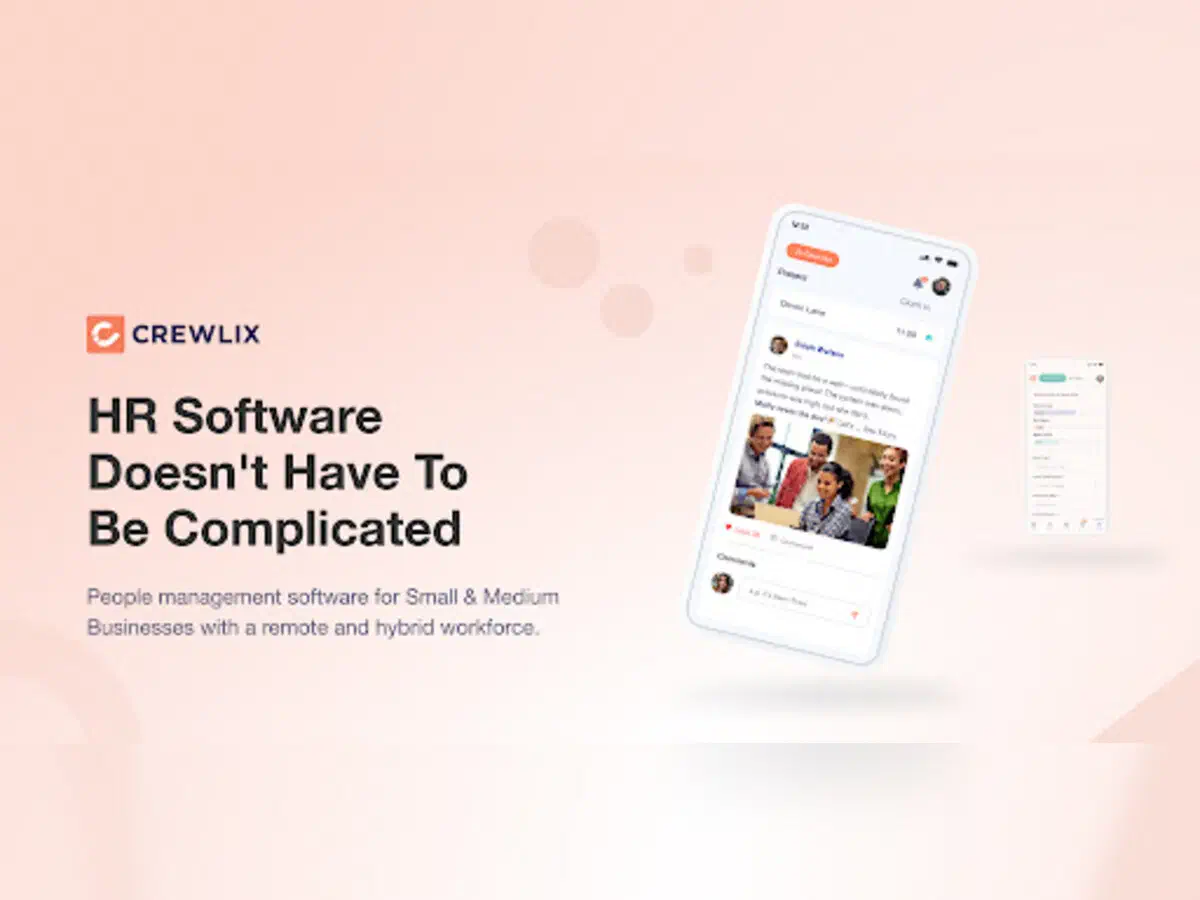
Crewlix is an HR management mobile app for Android and iOS. It digitizes the daily HR operations of a modern workforce — attendance, leave, employee profiles, internal communication — behind a single login on a phone. I built it in Flutter, end to end, and shipped it to both stores.
HRM software has a specific shape. The business logic is heavy and full of edge cases — approval hierarchies, leave policies, role-based visibility — but the UI is repetitive: forms, lists, detail screens, calendars, approval flows. There aren’t many screens where you fight the framework to render something custom. That shape matters, because it’s what made the technology choice straightforward — and it’s the shape that made one architectural decision pay off far beyond this single app.
Why Flutter#
The honest reason Flutter fit Crewlix: an HRM app is mostly CRUD and list/detail views. There’s no video surface to lock down, no custom charting engine, no platform view doing heavy GPU work. When the view layer is this conventional, Flutter’s “everything is a widget” model is a productivity gain, not a tax. One Dart codebase, one team, both platforms, and the rendering differences between iOS and Android stop being your problem.
This is the same trade-off I weighed the other way on a different product — when a Flutter platform view started ANR-ing on low-end Mali GPUs, I migrated that app to React Native/Expo. The point of comparing Flutter, React Native, and Expo head-to-head isn’t to crown a winner; it’s to know which pillar of the trade-off your product actually loads on. Crewlix loads on the pillar where Flutter wins: conventional views, fast iteration, one codebase.
Scope#
The shipped product covers:
- Attendance — GPS-verified check-in and check-out for office boundaries, with local draft persistence and connectivity-aware syncing.
- Leave management — approval workflows, balances, and policy types.
- Employee profiles — directory, search, role-based access, and document handling (including in-app PDF rendering).
- Social feed — posts, comments, mentions, media attachments, and real-time updates. This is where the rich text editor lives.
- Push notifications — attendance reminders, approval status, and announcements.
- Deep linking — Universal Links (iOS) and Android App Links route from notifications and shared links into specific screens.
Architecture — one platform, two apps#
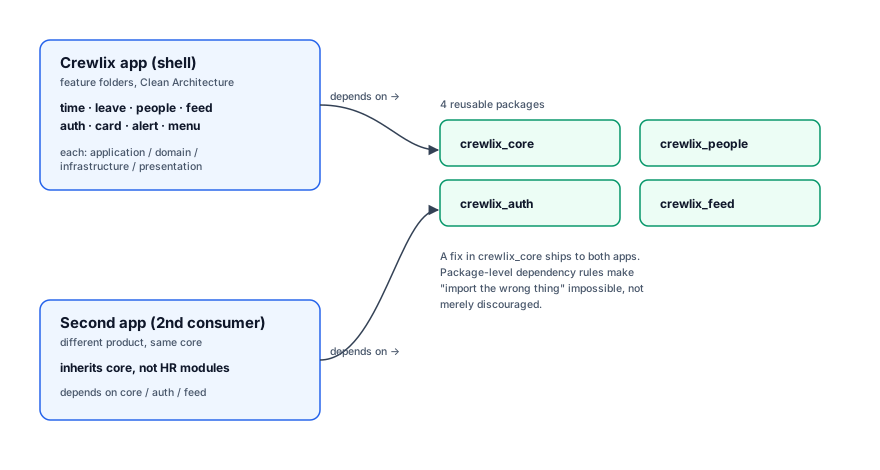
Crewlix follows a feature-sliced Clean Architecture. Each HR domain is its own slice, and every slice carries the same four layers: presentation, application, domain, infrastructure. A change inside the leave slice doesn’t reach sideways into the feed slice — the blast radius of any change stays inside its boundary.
State is Riverpod with code generation, so providers are typed and the boilerplate stays out of the way. Navigation is AutoRoute, which gives compile-time-safe routing — a typo in a route is a build error, not a runtime crash. Every data model is a Freezed class: immutable, copyable, union-ready, which removes an entire category of mutation bugs. Networking is Dio behind Retrofit-generated API clients.
The part that ended up mattering most is what I extracted as packages. Four reusable packages sit under the app: crewlix_core, crewlix_auth, crewlix_people, and crewlix_feed. The dependency hierarchy is enforced at the package level rather than by convention — which is the difference between “we usually don’t import the wrong thing” and “you literally can’t.”
That decision paid off beyond Crewlix. Those same packages now power a second production app. A fix that lands in crewlix_core ships to both products. One architecture, two apps, one source of truth for the shared core.
If you want the full architectural walk-through — the package boundaries, the state/routing/modeling choices, and the editor internals — it’s in the Crewlix clean-architecture deep dive.
The hard part — a real rich text editor in the social feed#
The social feed is where the engineering got real. The requirement was a feature-complete rich text editor inside the app: bold, italic, headings, bullet and numbered lists, inline mentions, and image embeds — editable on a phone, with a toolbar, and performance that held up on long posts.
Flutter does not ship this. I built it on flutter_quill, whose document model is a Quill delta (a list of operations), not an HTML string or a hand-rolled node tree. The real work was everything around that delta:
- A delta ↔ HTML ↔ Markdown pipeline. The server stores posts as HTML and Markdown; the editor edits a delta.
vsc_quill_delta_to_htmlrenders delta to HTML;flutter_quill_delta_from_htmlparses HTML back to a delta;markdown_quillandhtml2mdbridge Markdown in and out. The round-trip has to be lossless, or a post silently corrupts on the second edit. - Custom embeds for mentions and inline images. Mentions and images aren’t text with syntax bolted on — they’re first-class embed types with their own builders, so they participate in selection, cursor movement, and formatting predictably.
- Performance on long posts. As a document grows, recomputing the conversion on every keystroke stops being viable. An HTML-to-delta cache keeps the expensive transform off the hot path.
I’ll be blunt: a feature-complete rich text editor in Flutter is genuinely hard, even starting from Quill. The packages get you part of the way in a day; the lossless round-trip, the custom embeds, and the long-post performance take weeks. If you’re scoping one, budget for it.
Outcome#
Crewlix shipped to both stores and is live.
The architecture has held up as modules kept getting added — and the fact that the same core now runs a second product is the actual test of an app’s foundation. The roadmap never stops growing; the floor has to.
If you’re building an HRM or internal-tool mobile app and want the architecture set up right the first time — especially the hard editor and workflow pieces — get in touch.